Zero-based budgeting for iPhone and iPad
Give your money a plan.
Plan where your money goes, fund your goals, and always know what’s safe to spend — with your data on your device, never ours.
Free while in early release · no account · no bank login, ever.
- Groceries
- $420
- Rent
- $1,450
- Transportation
- $180
- Vacation
- $95
- Dining Out
- $120
- Private by design
- Apple-native
- True zero-based budgeting
- Free while in early release
The method
Every amount gets a job.
Everything that comes in lands in To Assign. You hand it out to category envelopes until nothing’s left unassigned — so every amount has a purpose before you spend it.
Read more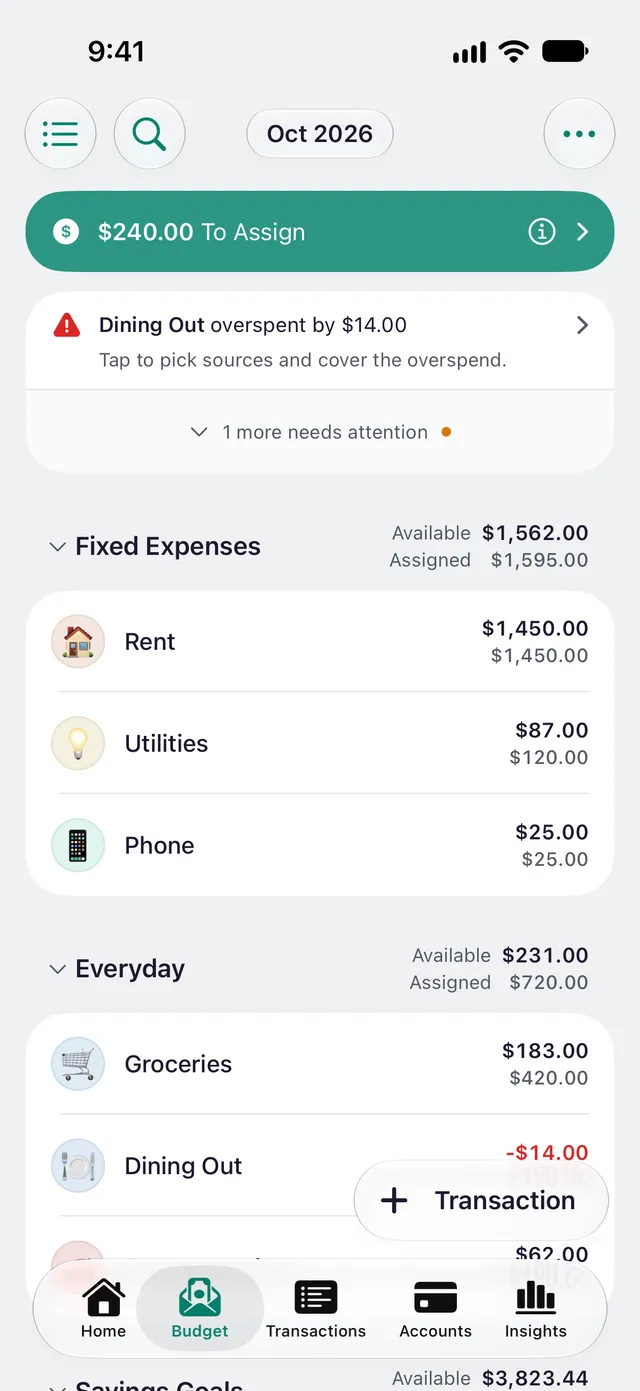
Categories that carry over.
Group spending into named categories with their own balances. Whatever you don’t spend stays put and is carried into next month — no resetting, no guesswork.
Read moreGoals, and money that moves with you.
Set monthly, weekly or yearly targets, a savings balance, or an amount needed by a date — and cover overspending from another category in a tap. Your plan always matches reality.
Read more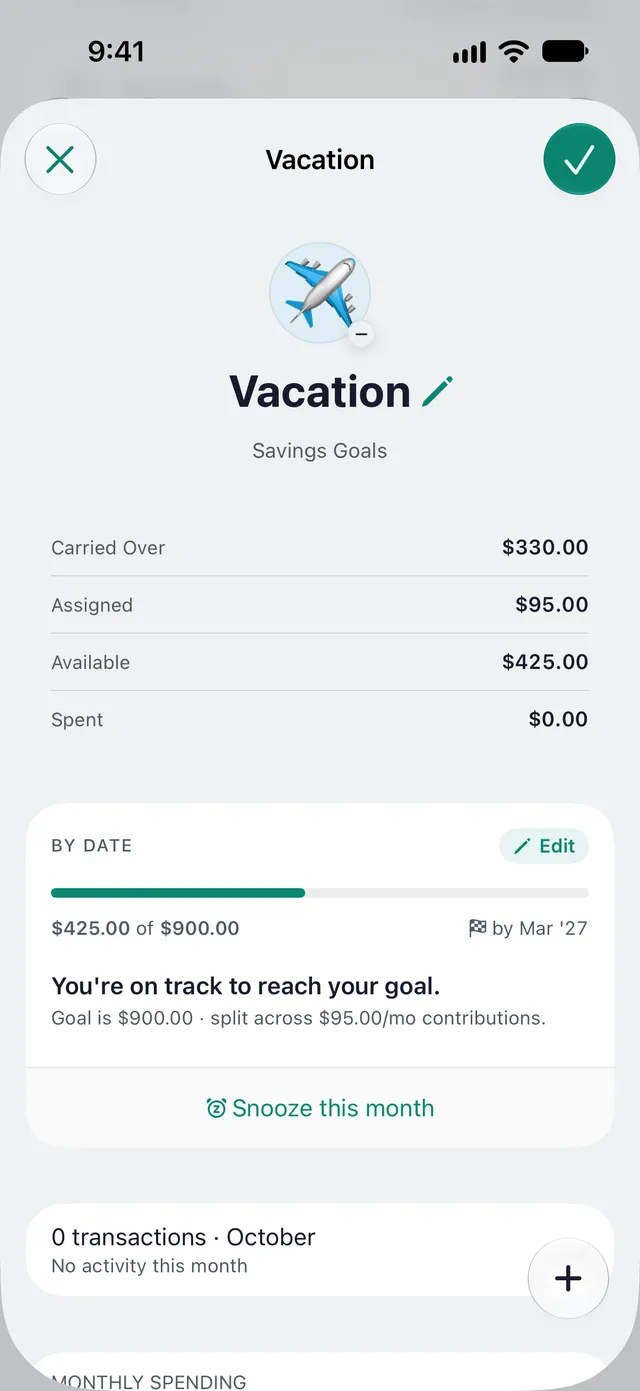
Home
It tells you when you’re done.
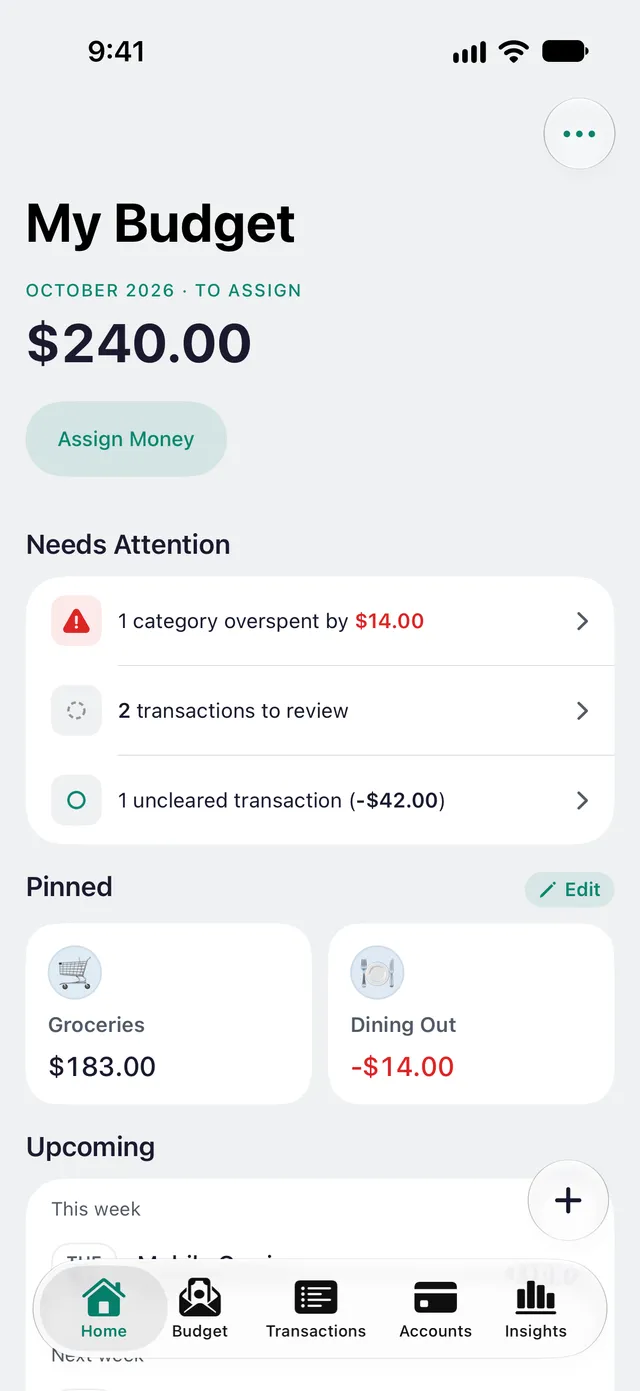
newmonth opens on a worklist, not a dashboard: what’s left to assign, what needs attention, what’s due this month. Handle a row and it disappears. When nothing’s left, Home says All caught up — and you close the app.
- To Assign at the top, one tap from assigning
- Overspending, underfunded goals, statements and transactions to review — fixed on the spot
- Pinned categories and the rest of the month’s bills, right underneath
Privacy
Your money stays yours.
- No bank connections — you import or enter, on purpose
- No account — nothing to sign up for
- On-device storage — your budget stays on your own devices
- Syncs through your iCloud, not our cloud
- The developer can’t see your data — by design
Budget sharing
One budget, everyone on the same numbers.
Run the household budget with your partner or the whole family — and a separate one with anyone else. Everyone you invite edits the same budget from their own device.
- No shared login and no second account — invites go through iCloud
- Invite-only: bound to their Apple Account, never a public link
- No artificial limits — share as many budgets as you like, each with its own people
- It stays between you: sync runs through your iCloud, not through us
Apple-native
Built for iPhone and iPad.
- iCloud sync across your iPhones and iPads
- Share a budget through iCloud
- No account — it uses your Apple Account
- Insights built with Swift Charts
- Dynamic Type and real light & dark
- No third-party code, no trackers
Insights
Always know where you stand.
Where it went
- Rent $1,450 61%
- Groceries $415 17%
- Dining Out $118 5%
- Transportation $92 4%
- Utilities $84 4%
+8 more categories
Cashflow
Net worth
$48,250
+$3,120 since Feb
Months ahead
2.4 months ahead
Based on your last 3 months of spending
Pricing
Free in early release — then $14.99 a year.
The whole app is free during early release — and if you join now, you keep everything free for 3 more months after 1.0. Then one low price, everything included: no ads, nothing to upsell, your data never sold. Or buy it once and keep it forever.
FAQ
Questions, answered.
Is my data private?
Yes — by design. newmonth has no account and no bank connections. Your budget lives on your device and syncs only through your own iCloud; there is no newmonth server in the middle, and the developer can’t see your data.
Do I have to connect my bank?
No. newmonth never links to your bank. You add transactions manually, import a statement (CSV, OFX/QFX, CAMT or a YNAB export), or set up a Shortcuts automation that hands newmonth your Apple Pay taps or your bank’s transaction alerts — so you plan on purpose, and nothing about your accounts is shared with anyone.
Does it sync across my devices?
Yes. newmonth syncs through your own iCloud (CloudKit), so your budget stays up to date across your iPhones and iPads — with no account to create. Settings → iCloud Sync shows whether this device’s changes are reaching iCloud, and while sync is stuck, Export a Backup saves your budget as a file. While a large sync is running, tap the Syncing… pill at the top to see what has arrived so far.
Do I need an account?
No. There’s nothing to sign up for and no password to manage — newmonth uses your Apple Account for iCloud sync. Nothing to breach, nothing to remember.
Which devices does newmonth run on?
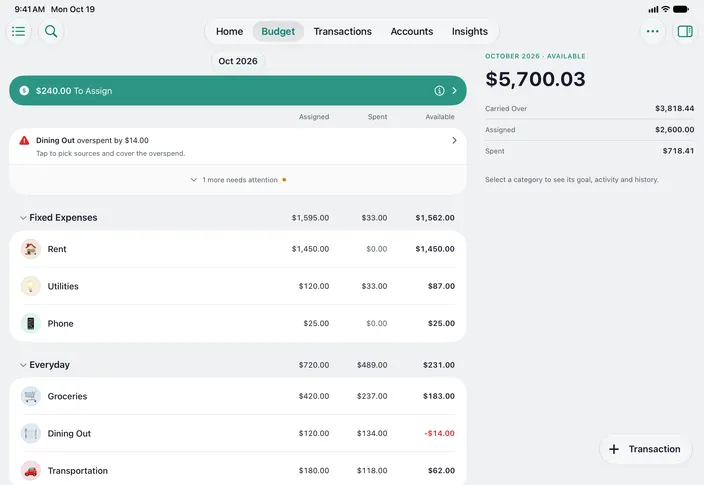
iPhone and iPad, with iOS or iPadOS 26 or later. newmonth is built in SwiftUI, so it feels like a native Apple app — and on iPad it’s a real iPad app, not a magnified iPhone one: Home and Insights in two columns, Budget with its figures in columns and a category’s details beside the list, and sidebars in Transactions and Accounts. On a Mac with Apple silicon, you can also install the iPad version from the Mac App Store (Apple’s “Designed for iPad”); it runs as the iPad app, not a dedicated Mac app. There’s no Android or web version; that focus is what keeps it fast, private and Apple-native.
Be one of the first to budget with newmonth.
Take control of your money this month.

Free while in early release.