Features
Everything you need to give your money a plan.
A complete zero-based budget in your pocket — plan your money, track every account, import from any bank, and see exactly where you stand. Private by design, native to iPhone and iPad.
Home
Open the app, see what’s left to do.
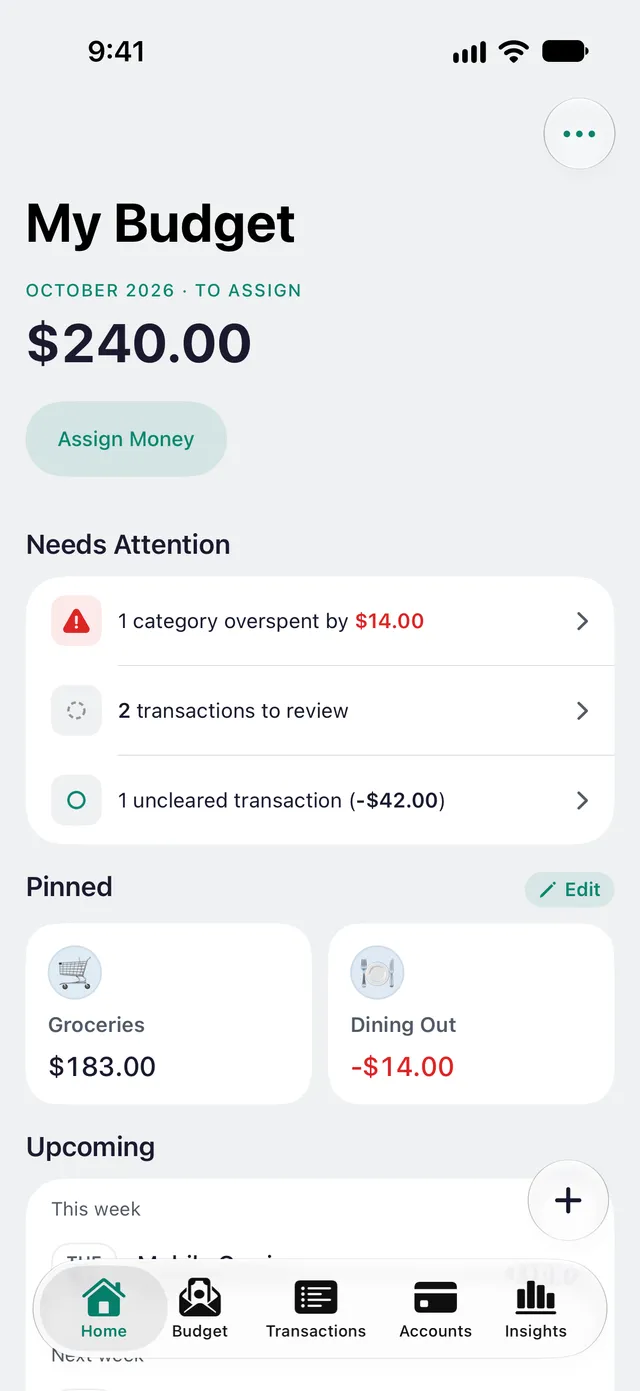
newmonth opens on a Home tab built as a worklist, not a dashboard. Every card is something to handle — what’s still unassigned, what needs attention, what’s due — and when nothing is, Home says so: All caught up.
- To Assign front and center, with a one-tap Assign Money button
- Needs Attention gathers overspent and underfunded categories, card statements ready to pay, and transactions to categorize, review or clear — fixed on the spot
- Upcoming lists the rest of the month’s scheduled transactions: this week, next week, later this month
- Pin the categories you check most — their available amounts sit right under your worklist
- In a shared budget, Recent Activity shows what your partner entered while you weren’t looking
Budget & allocation
A plan for every amount.
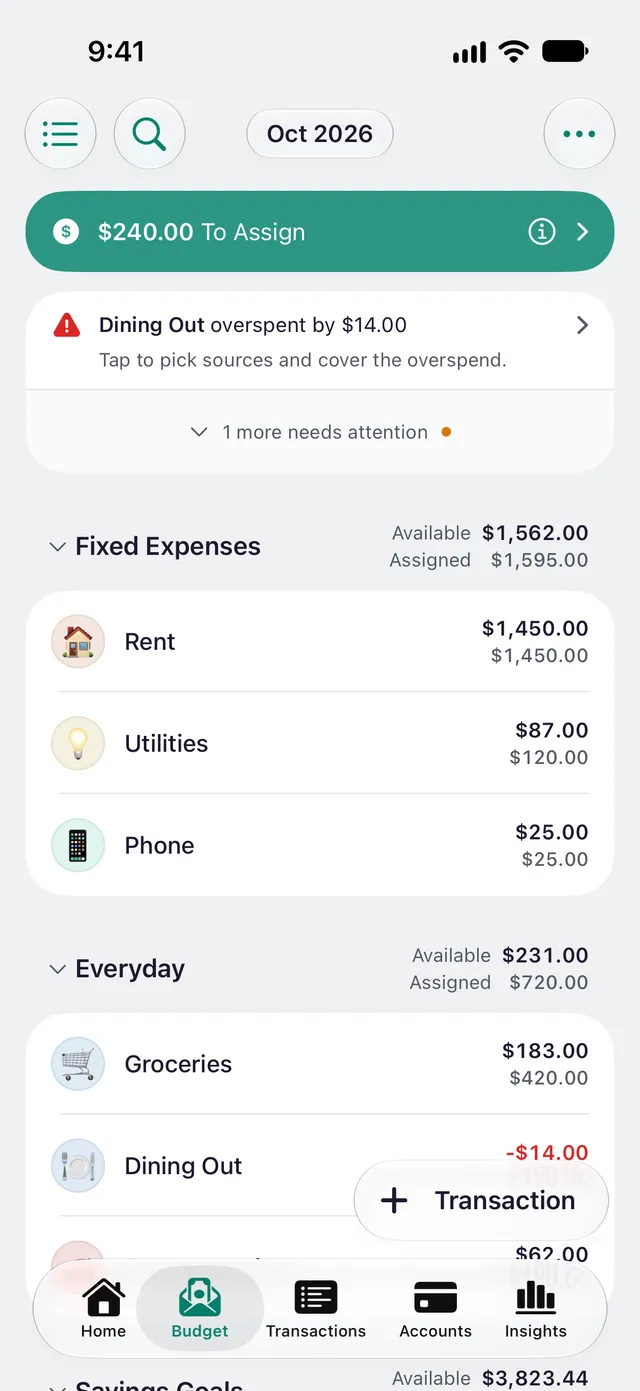
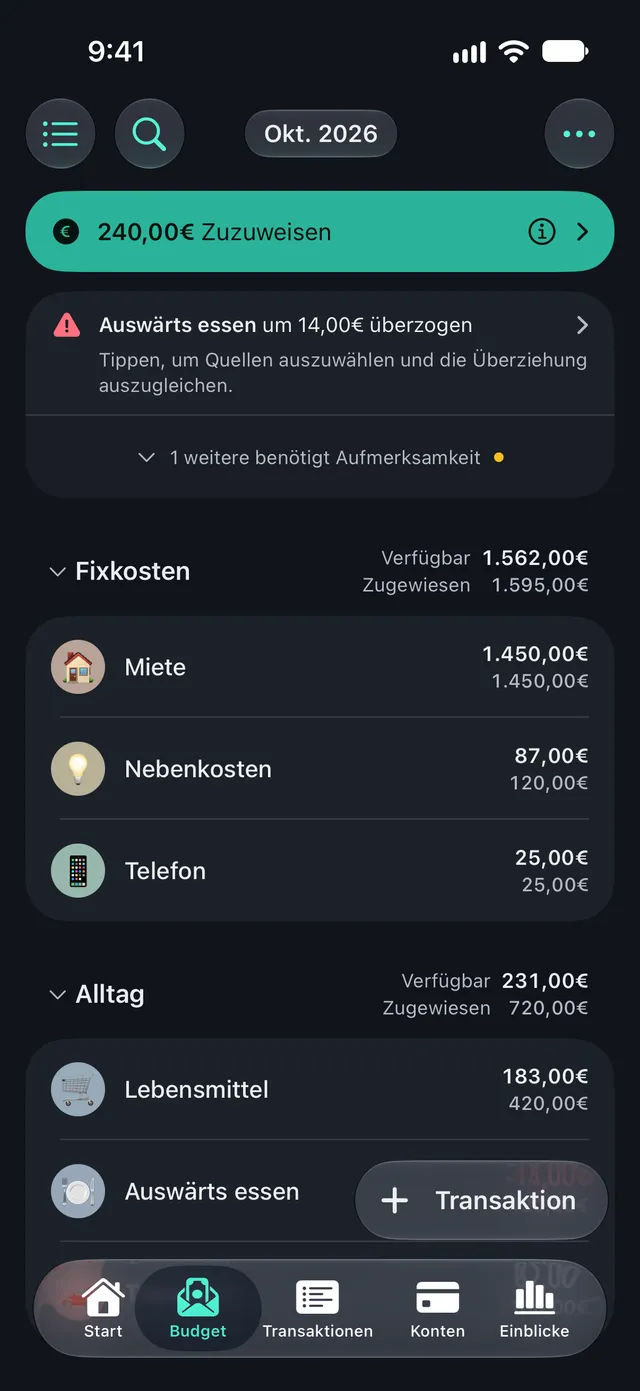
Income lands in To Assign; you hand it out to category envelopes and groups until nothing’s left over. Balances carry forward month to month, so unspent money stays put instead of resetting.
- To Assign — assign every amount before you spend it
- Category envelopes and groups, with carryover balances and 12 months of Monthly Spending per category
- Five goal types: Monthly, Weekly and Yearly Budget, Savings Balance, and Needed by Date — a goal that repeats every few months or yearly either sets its amount aside every cycle or tops up to it
- Move Money and Cover Overspending between categories in a tap
- Assign right in the budget — tap and type, or Quick-Assign by a rule (Underfunded, last month, your average), each costed before you tap
Transactions
Record spending the way it actually happens.
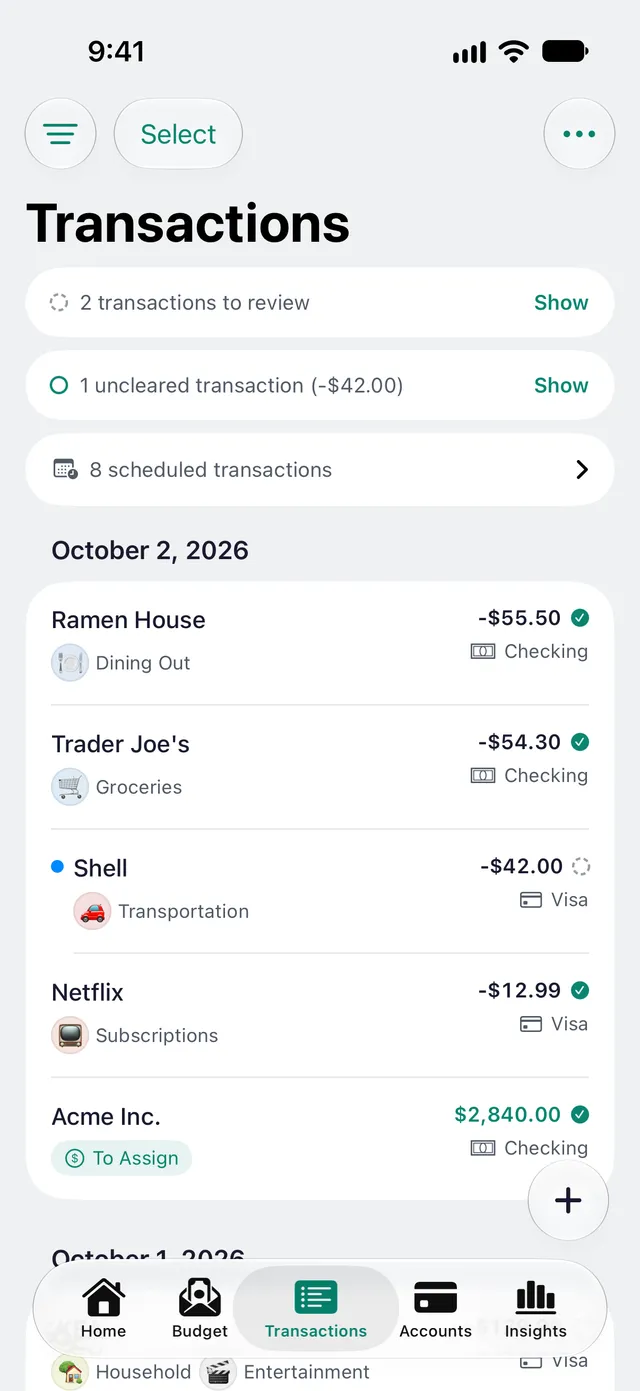
Add expenses, income and transfers, split a single purchase across categories, and let scheduled and recurring entries post themselves. Add up a receipt as you type it: + − × ÷ sit right on the keyboard.
- Expenses, income and transfers, with split transactions
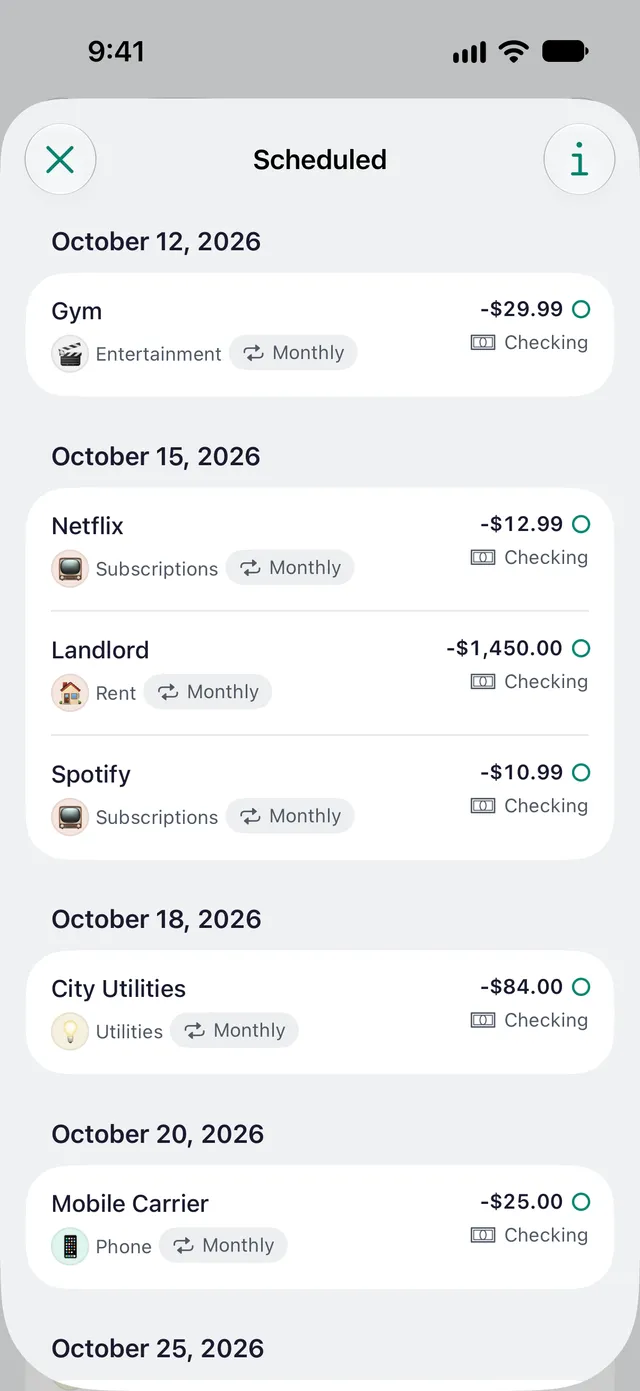
- Scheduled and recurring transactions that post on time
- Six color marks, payee search, and + − × ÷ right on the keyboard
- Imported transactions land in a needs-review step before they hit your budget
Automation
Automatic where it’s safe. Never behind your back.
No bank connection needed. Scheduled bills post themselves, and after a one-time Shortcuts setup, Apple Pay taps and your bank’s alerts arrive on their own — the rest you enter or import. Everything automatic waits in a review list; nothing is posted without you.
- Scheduled and recurring bills post themselves when they’re due
- Apple Pay taps land with their usual category filled in
- Your bank’s alert emails and texts become transactions, read on your device
- Payee rules turn “REWE SAGT DANKE 47281” into “REWE”, in the right category
- Already entered? It’s matched, not doubled — and when unsure, newmonth asks
- Optional notifications when a bill is due or a transaction arrives
Accounts
Every account, on and off the budget.
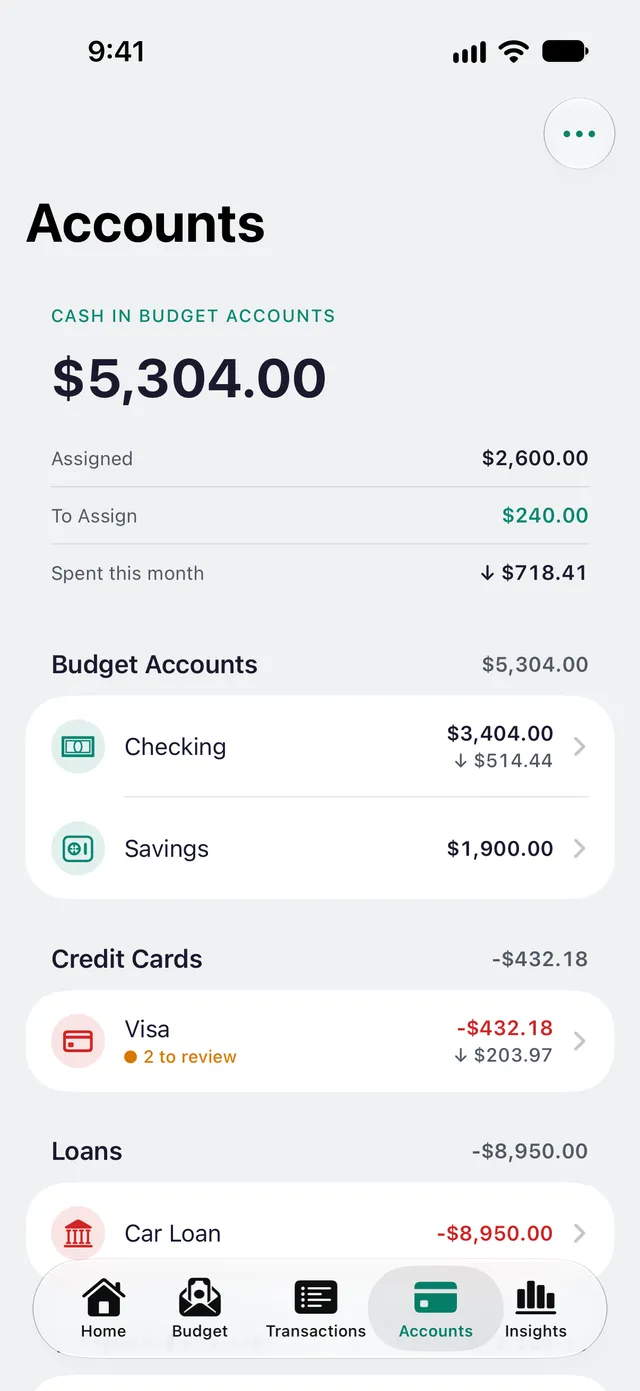
Keep budgeted spending accounts and longer-term tracking accounts side by side, and reconcile against your statement so your books always match the bank.
- On-budget: Checking, Savings, Cash, Credit Card and Loan
- Tracking (off-budget): Investment, Mortgage, Asset, Liability and Other
- Investments: record what the account is worth with Update Value, and see Invested next to Gain
- Reconciliation to keep balances honest
- Net worth that updates as accounts change
Credit cards & loans
Debt that’s finally easy to read.
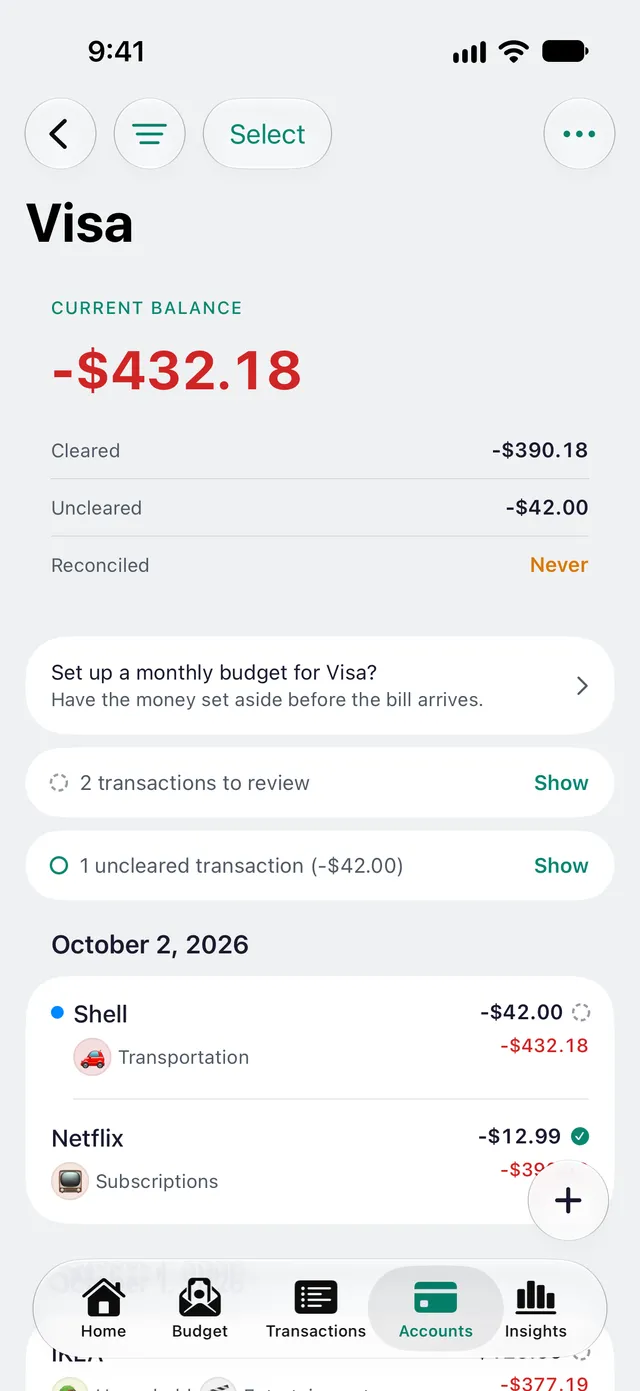
newmonth treats a credit card or loan as a plain negative-balance account — no separate, confusing payment category. A statement-readiness chip tells you whether you’ve set aside enough to pay it off, and loans show their progress.
- Transparent model: debt is just a negative-balance account
- Statement-readiness chip shows if you’re ready to pay in full
- Set the payment due day once — every statement’s due date follows from it
- Loan progress toward a zero balance
- Funding a purchase keeps your payment covered automatically
Import
Bring in any bank — files, not credentials.
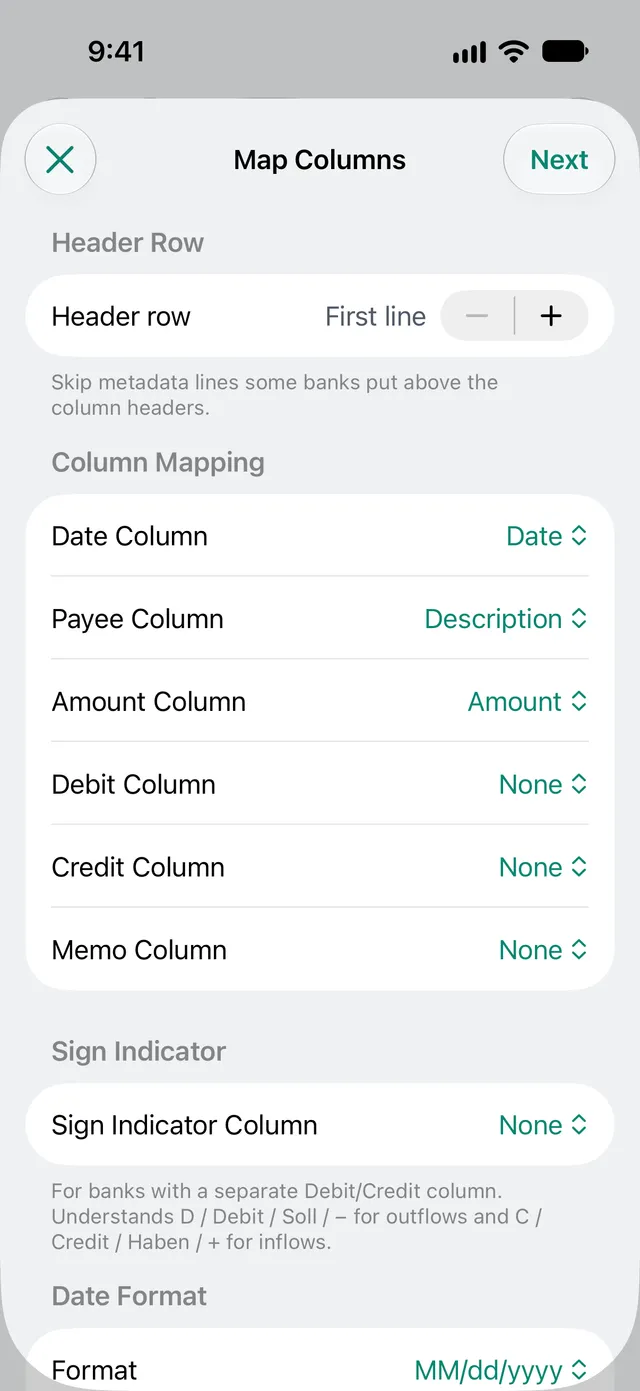
Because you import statements instead of linking a login, any bank works and nothing about your accounts is shared. CSV imports remember your column mapping as a reusable profile, and duplicates are caught for you.
- CSV with column mapping and remembered profiles
- OFX/QFX and CAMT (ISO 20022, SEPA)
- YNAB exports, to move your history across
- Duplicate detection and a needs-review step
Insights
Always know where you stand.
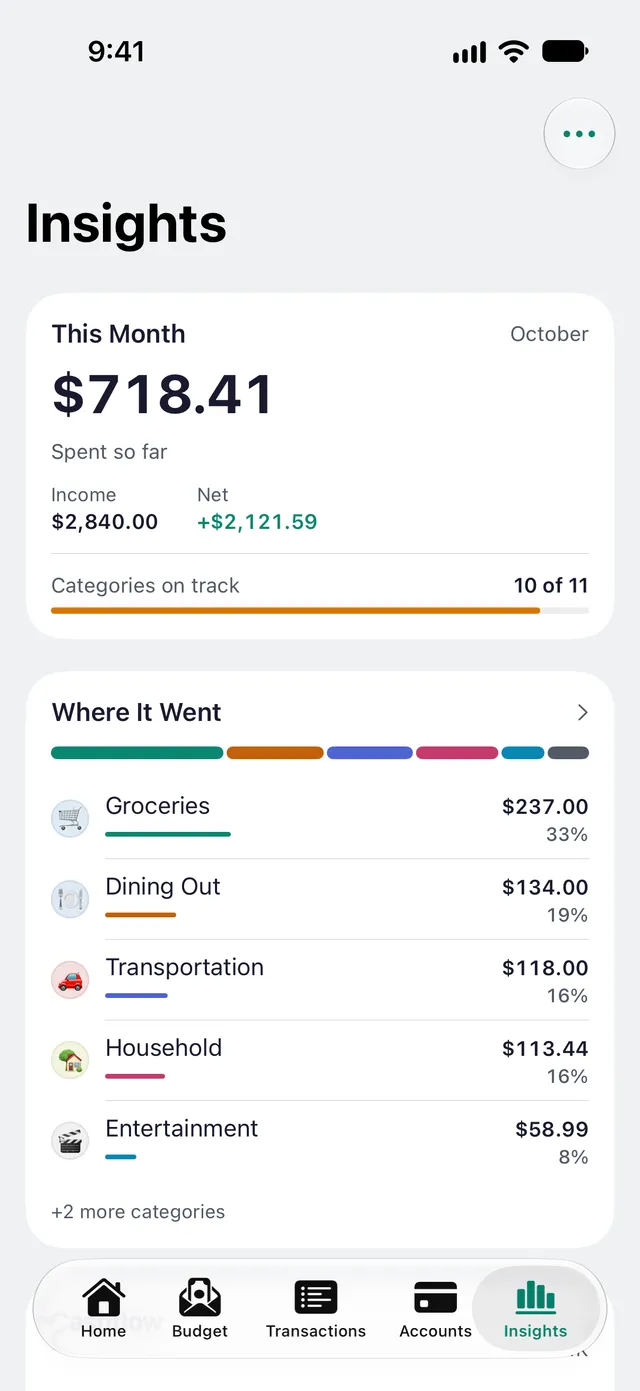
Built with Swift Charts, Insights turns your numbers into a clear picture — what you spent, whether you stayed on plan, and how far ahead you’re getting.
- Where it went: your month as one color strip — tap any category for its transactions
- Cashflow: income vs. expenses, month by month
- Trends over time and budget adherence
- Category Trends: every category gets its own page — its average, how often you spend and how much each time, and who got the most
- “Did You Know?” fun facts — your savings rate, no-spend streaks, subscriptions, and more
- Net worth and debt: the change split into Saved and Gain, plus a projected debt-free date
- Months ahead — how long you could keep going
Private & Apple-native
Your money stays on your device.
There’s no account and no bank connection. Your budget lives on your device and syncs only through your own iCloud — there’s no newmonth server in the middle, and no third-party code or trackers.
- Native on iPad too: Home and Insights in two columns, Budget with details beside the list, sidebars in Transactions and Accounts
- No account and no bank login, ever
- On-device storage; iCloud (CloudKit) sync across your iPhones and iPads
- Works without any network access — sync is optional
- No third-party SDKs, no ads, no trackers
Budget sharing
Budget together, without a shared login.
Share a budget from its settings with the system share sheet. Everyone you invite gets read-write access and edits from their own device — the same budget, the same numbers, for a couple, a family, or a whole household.
- Invite-only: access is bound to the invitee’s Apple Account, never a public link
- Share as many budgets as you like — each with its own separate group of people
- Ready from day one — sharing even an established, years-old budget is instant
- People: give each account an owner, and every device opens new transactions on its owner's account, remembers payees per person, and shows who entered what
- You stay in control: stop sharing anytime, and participants can leave without touching your data
Localization
Built for you, in your language.
Run several budgets — say personal and business — each with its own currency, and switch in a tap. The whole app is fully localized in English and German.
- Multiple budgets, each with its own currency
- Per-budget currency formatting
- Full English and German localization
- Help inside the app, offline too: how-to pages for every part of newmonth, in English and German — open them from any tab’s ⋯ menu or an ⓘ, search them all in Settings, or find them with Spotlight
- Dynamic Type and real light & dark mode
Put your plan to work this month.

Free while in early release.